About Don't Wake Brainrot
GamePix describes sneaking around sleeping brainrots, stealing them and escaping when they wake. The embedded version has a field, large moving figures, creature labels and base pads. Our October 6 check reached those areas and verified movement, but did not complete an accepted pickup and return. The collection premise is the provider's description, not a successfully banked haul in this record.
The starting area gives you room to get your bearings. Rows of base spaces and collection pads sit along a bright path, with a cash counter and an arrow trail visible on screen. It has the blocky, oversized look familiar from many browser collecting games. Before chasing the next creature, spend a moment identifying your own route through that space. A recognizable landmark is much easier to follow when you are coming back in a hurry.
The Meme Behind Don't Wake Brainrot
The brainrot theme supplies a collection of strange targets for a familiar risk-and-return loop. Instead of treating every creature as an enemy to defeat, you are trying to make it part of your collection. Their odd appearance makes the scene funny, while the possibility of waking something gives a simple walk across the map a little suspense. You do not need a character encyclopedia to understand the immediate question: can you reach that target and get away?
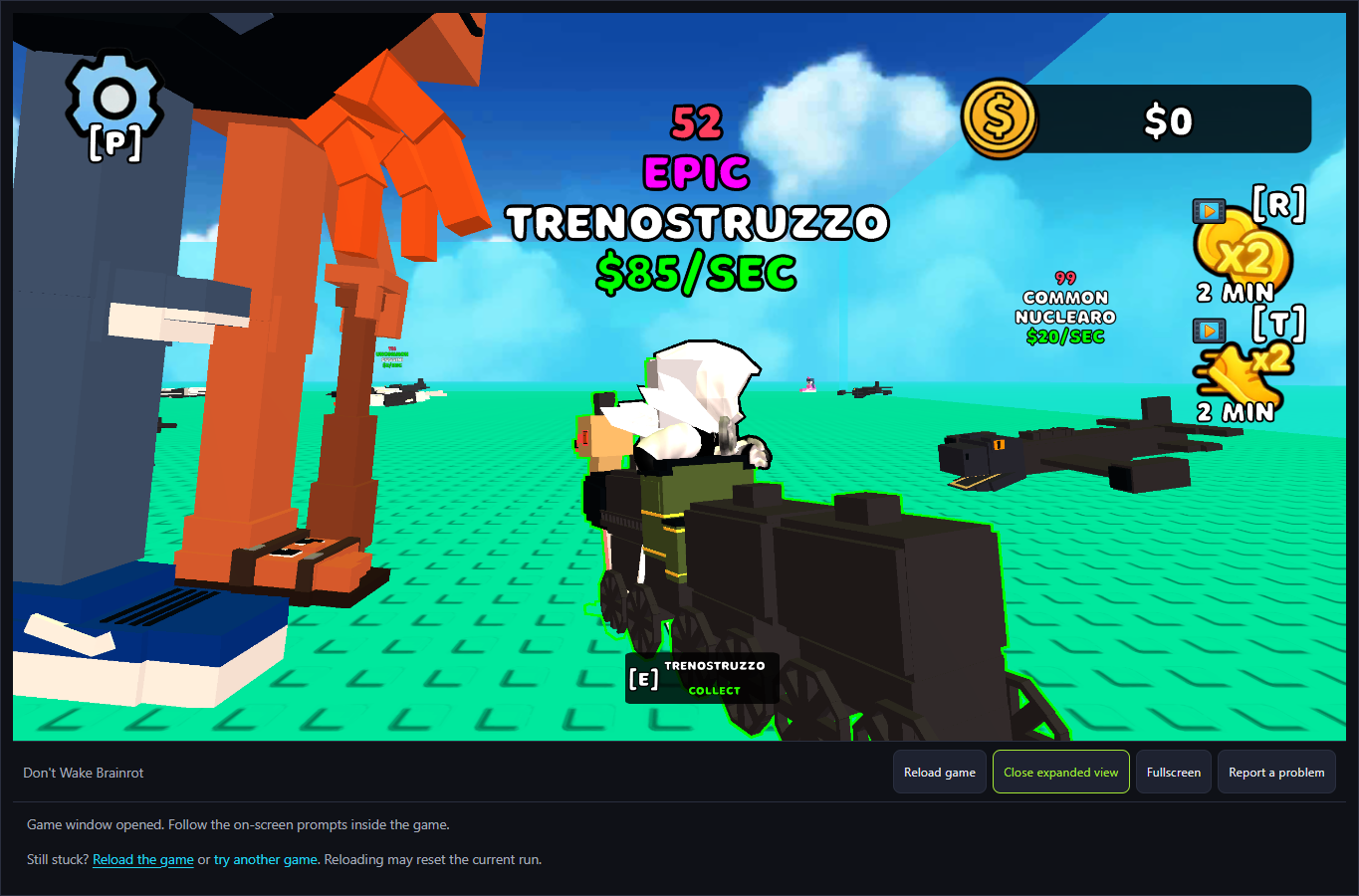
The blocky style does not make this an official Roblox experience; the page loads GamePix's don-t-wake-brainrot distribution entry. Creature labels distinguish names and rarity, but a displayed income number does not prove that the character has been collected or that cash is currently being earned. In the checked attempts the cash counter remained 0.
How to Play Don't Wake Brainrot
Start the platform player and read the tutorial. It displays WASD for Walking and E for Interact. Dismiss Close, then try movement inside the game. W, A, S and D changed the avatar's position in the desktop check; pointer drag changed the camera. P opened the Sounds settings panel, whose sound effect was not independently listened to.
Approach a creature until an interaction prompt appears. The checked field displayed Trenostruzzo with E/Collect. The visible prompt establishes the offered action, not a completed pickup. Our subsequent attempts did not prove that the item was accepted or banked, so this guide does not offer a validated full collection route.
Use a known landmark when testing a return, but verify the outcome separately. Multiple checked attempts later showed the base and cash 0. A return to the starting area alone is not proof of successful banking or saved cargo. The world continued changing while menus and screenshots were inspected; do not rely on Settings as a verified pause.
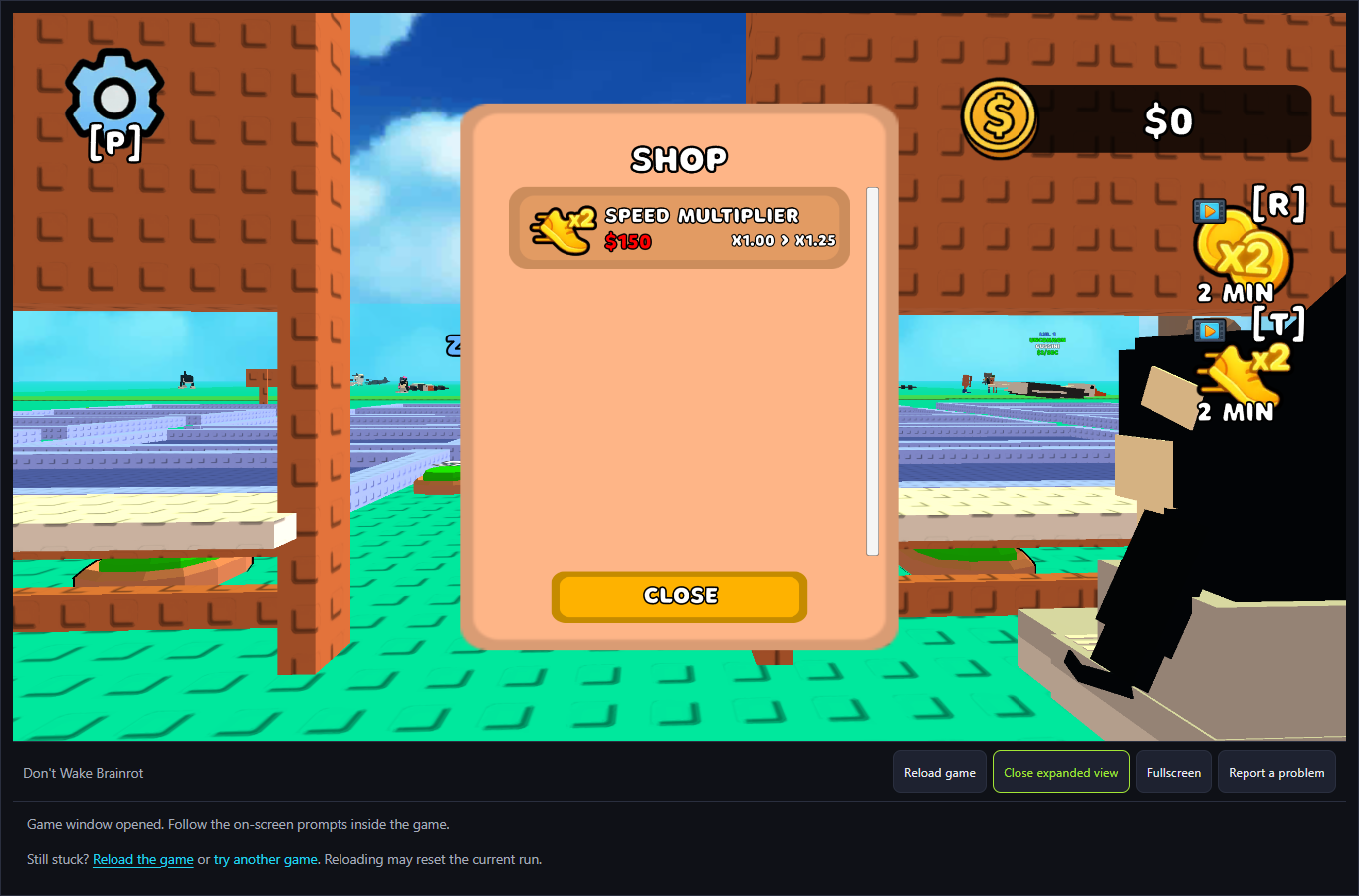
At the base, a Shop panel offered a $150 speed multiplier with a displayed x1.00 to x1.25 change. That is an observed offer, not a purchased upgrade. The x2 Money and x2 Speed pads are video-labelled, while automatic Ad in N seconds prompts also appeared. Keep those provider flows separate from the ordinary WASD/E controls and from a verified reward.
Controls
- WASD: walking displayed by the tutorial; position changes observed on desktop.
- E: the tutorial's Interact key; a creature's E/Collect prompt was visible, but pickup success was not established.
- Pointer drag: change the camera; held Close click: dismiss the tutorial.
- P: opened the Sounds settings panel. Its audio effect and pause behavior were not verified.
- Space jumping, physical-phone input and save behavior have not been verified by the applicable records.
Tips & Tricks
- Separate reaching a creature from an accepted E/Collect action, then from successful banking.
- Inspect the current prompt rather than trying E at an arbitrary distance.
- Use the cash and placed-creature state to assess progress; a return to the base by itself is insufficient.
- Creature and world states can change while you inspect the scene. The Sounds settings panel was not verified as a pause.
- Read the $150 speed offer and video-labelled boosts as separate choices; no upgrade or video reward was earned in the check.
A prompt is not a completed collection
The field displayed E/Collect for Trenostruzzo. This establishes a target-specific interaction prompt rather than borrowing another game's binding. The later attempts did not establish that a pickup survived the return or generated income, so they do not pass the deeper collection goal.
An upgrade offer differs from a tested purchase
The base Shop showed a $150 speed multiplier and x1.00 to x1.25. Cash was 0 and the upgrade was not purchased. The nearby video-labelled x2 boosts use a different path; their presence cannot supply the missing collection or income evidence.
Why Play Don't Wake Brainrot Here
This version offers movement and a stealing/return premise for players who want a three-dimensional collecting activity. The desktop record is currently useful for reaching the field, recognizing E/Collect and distinguishing normal inputs from offers and ads. A successful collection walkthrough remains unfinished; choose another game with a completed goal record when that is your priority.