About Escape Tsunami for Brainrots
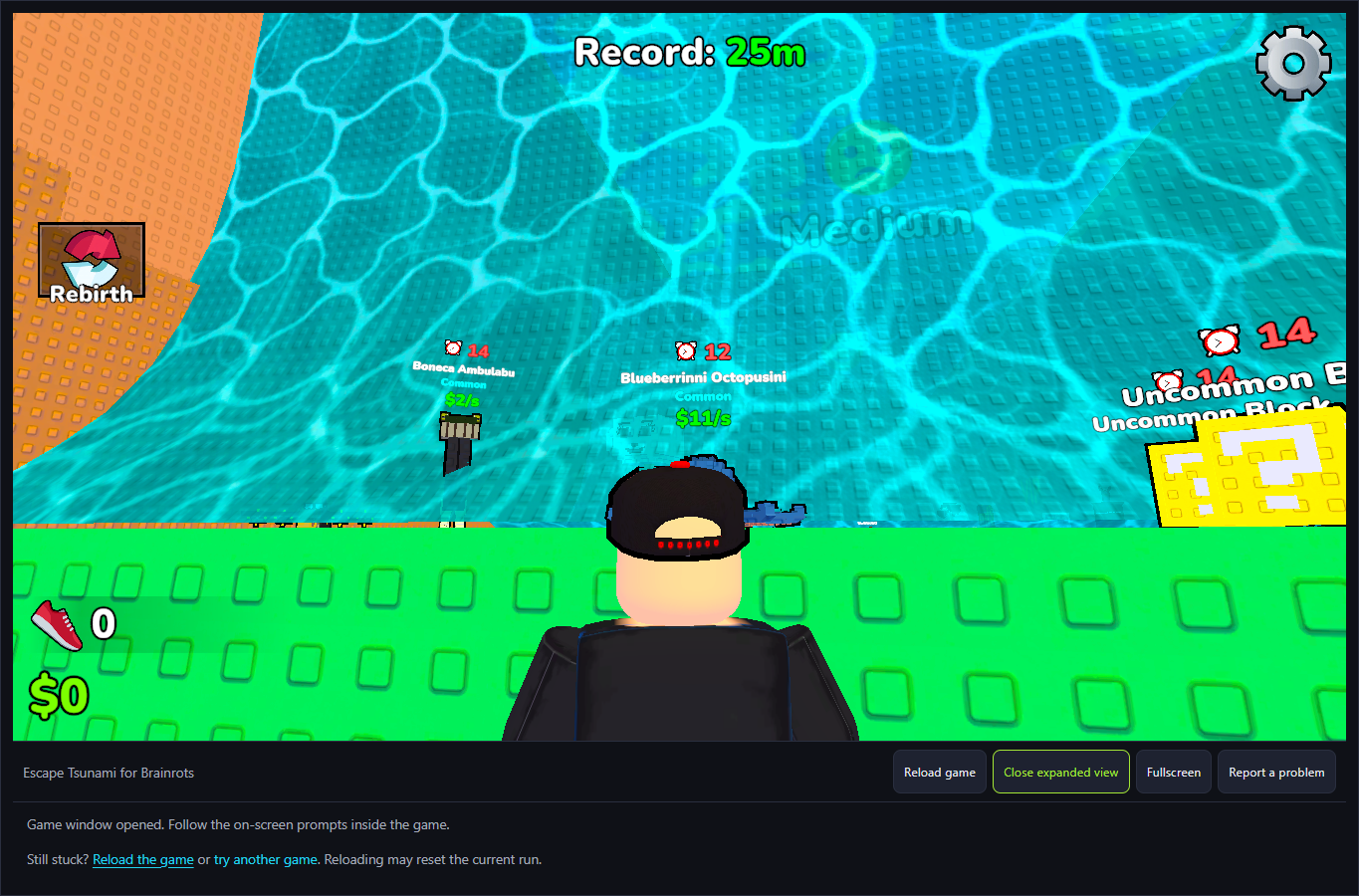
The checked browser version opens a long corridor between orange walls, with Your Base pads behind the starting line and creatures distributed along the route. Incoming walls of water carry labels such as Very Slow, Slow, Medium and Fast. GamePix describes running from the tsunami, saving brainrots and building a base. The observed layout is not the docks-and-hills map described in our older text.
The October 6 session verified movement and an E/Pick Up prompt for Ballerina Cappucina. It also showed a lower recess, a Common Area label and a Record distance reaching 25m. These are useful route and input observations, but the attempts did not establish accepted cargo and a banked return. Cash stayed 0 and a base display read Income 0/s. Creature income labels are offered values, not proof of earned income.
The Meme Behind Escape Tsunami for Brainrots
GamePix describes this release as Roblox-style, but this page opens its separate browser distribution entry. The shared title and character theme do not establish the Roblox original, shared saves or the same population of players. Our guide concerns this exact embedded version.
The named creatures help you identify a pickup prompt and distinguish its rarity label. A character's popularity does not establish a better route or higher tested income. The visible Celestial countdown announces a special character spawn; it should not be borrowed as a wave-arrival timer.
How to Play Escape Tsunami for Brainrots
Start the platform player and give the game keyboard focus. W, A, S and D responded in the desktop session. Read the starting base and the long corridor before moving away. Camera and avatar movement are different from a collected item, so first confirm a movement response.
The route contains lower recesses as well as the main floor. Space responded while moving toward the Common Area, allowing the avatar to leave a recess. A wave was also seen passing above a lower-positioned avatar. This observation does not establish that every recess protects every carried item or that a fixed jump duration always clears an edge.
When close to a creature, inspect its offered interaction. The checked scene showed E/Pick Up for Ballerina Cappucina. Pressing a key away from a prompt or returning to the base afterward does not prove a successful pickup. Our attempts did not complete a verified cargo-and-banking cycle, so no optimal collection route is claimed here.
Watch the incoming wall's position and its speed label separately from the brown Celestial display. That display counted toward a special spawn, not a wave interval verified in this session. The earlier thirty-to-sixty-second schedule and siren-based instructions were unsupported and have been removed.
At Your Base, check both the placed-creature state and the actual cash/income display before treating a return as progress. The checked captures still read cash 0 and Income 0/s. Speed Upgrade, Sell Here and Rebirth were visible choices, but purchases, carry-capacity upgrades and rebirth benefits were not completed.
Controls
- WASD: desktop movement responses observed after focusing the game.
- Space: a jump response was observed while moving out of a lower recess.
- E/Pick Up: displayed beside a creature; accepted cargo and banking were not established.
- Mouse: interact with visible menus. Shop and Rebirth effects, phone touch and independent sound were not tested.
Tips & Tricks
- Distinguish the main floor from a lower recess before committing to a return route.
- Read the wave's current position and speed label rather than using the Celestial spawn countdown as its timer.
- Wait for an actual pickup prompt and then inspect the resulting cargo state. The offered action alone is not success.
- Check cash, income and placed creatures at the base; merely seeing Your Base again is insufficient.
- Do not rely on the old speed-first/carry-capacity strategy or a fixed wave interval. Those rules were not verified for this version.
The spawn countdown is not a wave schedule
The brown sign announces when a Celestial brainrot will appear. Incoming water instead shows a speed label and a moving wall. The checked session displayed several different labels; no fixed interval or siren timing was measured. Use the visible wall rather than treating the special-spawn clock as a safe return window.
A lower position and a completed haul are different evidence
This capture shows the avatar below the main floor while a labelled wave crosses the path. It is a concrete scene observation, not proof of accepted cargo, banking or a universal safe-spot rule. Later base captures still showed cash 0 and Income 0/s; the full collection goal remains unpassed.
Why Play Escape Tsunami for Brainrots Here
Choose this entry for a movement-and-hazard collection premise, with a corridor that makes incoming water visible. The current control record helps distinguish movement, a lower recess, a pickup prompt and base indicators. A successful collection/return walkthrough remains unfinished; players seeking a completed goal example can compare the selection guide's tested alternatives.