About Bombardiro Crocodillo Brick Destroyer
Bombardiro Crocodillo Brick Destroyer turns the familiar crocodile-plane character into a short flying challenge. The action is built around lining up with brick targets, making contact, and watching the result of the run. It is more about steering at the right moment than exploring a large map or managing a weapon inventory.
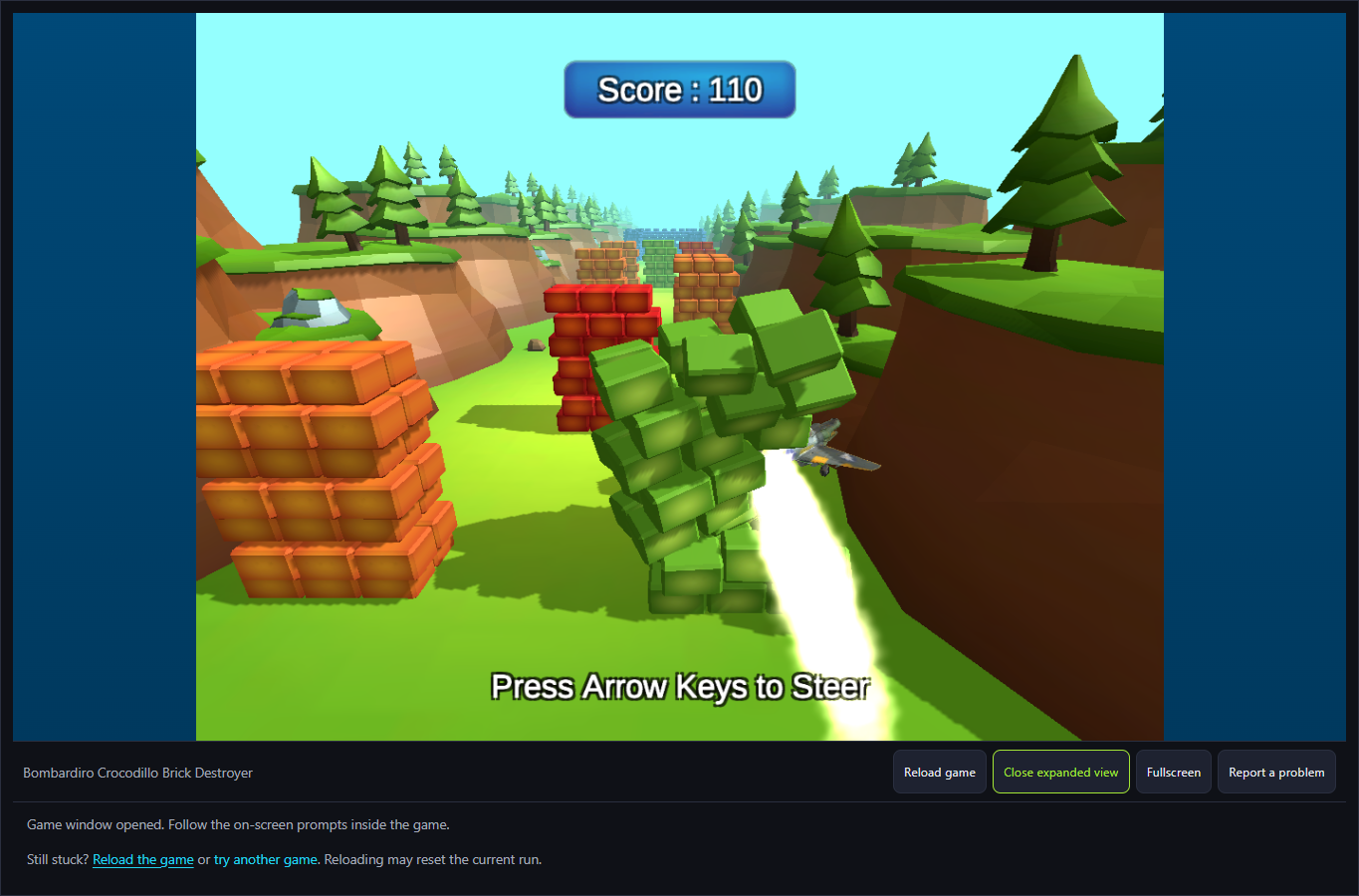
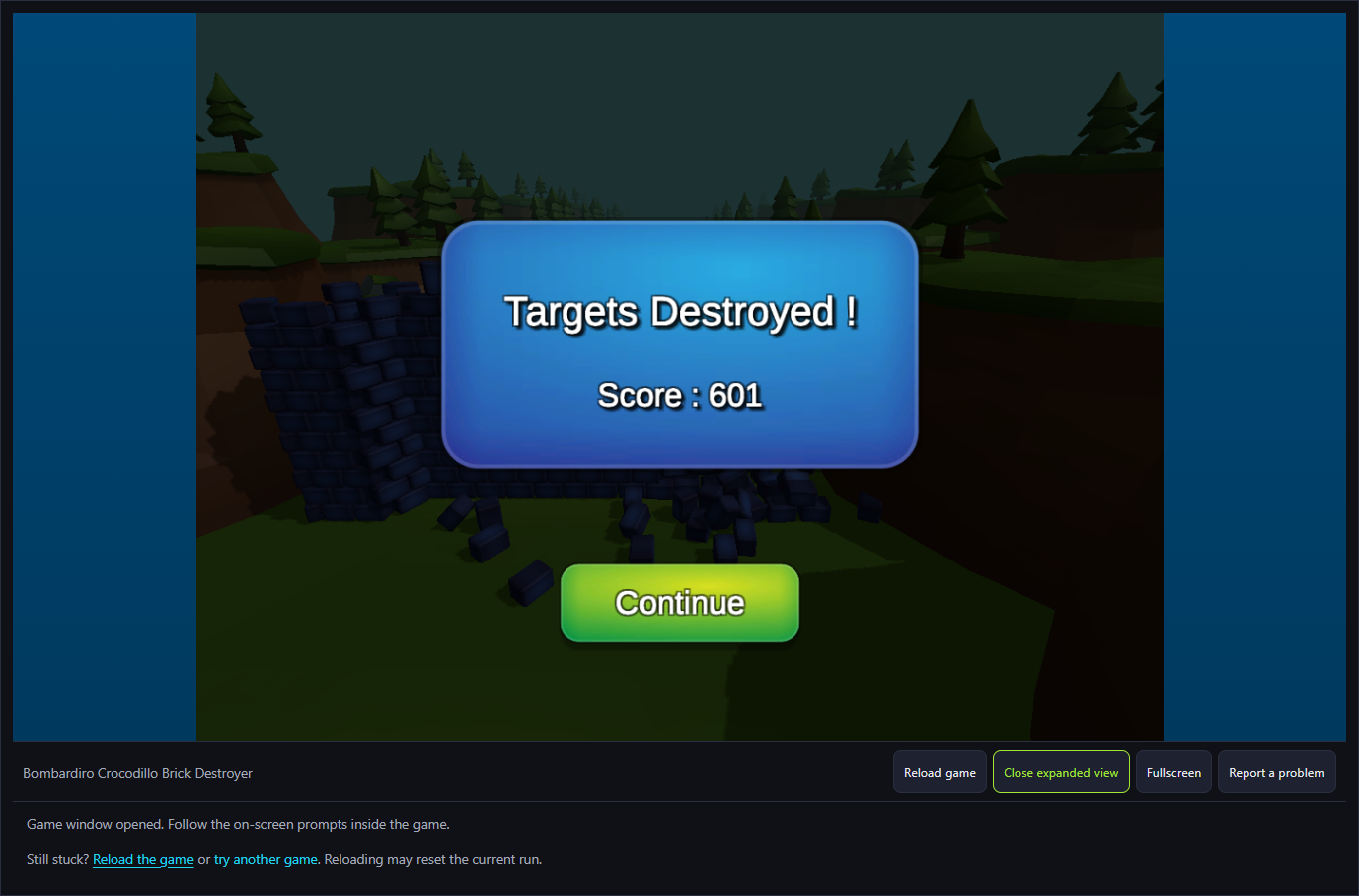
The October 6 desktop run launched with Space and a held Right input changed the plane's path. A green wall broke on contact while the live score showed 110; the finished run displayed Targets Destroyed and Score 601. Continue returned to the launch prompt with score 0, and Space started another attempt. That is a checked launch, steer, score and retry loop, not a map of every later stage.
Bombardiro Takes to the Air
Bombardiro Crocodillo is the flying character at the center of the attempt. The meme theme supplies the look, while the brick positions and flight path decide what happens in play.
How to Play Bombardiro Crocodillo Brick Destroyer
Start the official GamePix player in the game window and wait for the title scene to finish loading.
Press Space to send Bombardiro forward. Watch where the brick targets sit relative to the plane's path.
Use the left and right arrow keys to adjust direction while the plane is moving. Make an early correction if the target cluster is off center.
Read the Targets Destroyed and score result after the run. Try a different approach on the next launch if you missed the bricks.
Controls
- Space: Launch the plane from the opening scene.
- Left / Right arrows: Steer during the flight.
- Mouse: Use the official player's on-screen buttons.
Tips & Tricks
- Look at the nearest brick group before making a large steering correction.
- Begin steering early enough to change the approach instead of waiting until the plane is beside the target.
- Use the result score as feedback for the next attempt; a short run can still show whether your line improved.
Separate launching from steering
The first useful distinction is between getting the character moving and adjusting its route. Space launches the action, while the left and right arrows provide steering. Learn those as separate steps. Watch what happens immediately after launch before holding a direction for a long time. A large correction may carry you beyond a target that a smaller adjustment could have reached. The opening desktop check confirmed launch, a steering response and a scored result; it did not map out every possible flight or collision.
Choose one visible group of bricks for an attempt. Line up your approach as early as the scene permits, then use smaller corrections as you get closer. This is a suggested way to learn the controls, not a claim that the game uses a particular flight model. If the character passes the intended target, notice which side it missed and when you started steering. That observation gives you something concrete to change on the next launch.
Read the result without inventing a scoring formula
A result screen can tell you more than whether the attempt felt spectacular. Compare the displayed score and any destroyed-target information with the route you just took. If a more controlled approach produces a better result, try to reproduce it before adding another movement. A single high score does not prove that a particular brick has a fixed value, that a bonus multiplier exists, or that the same action will always produce the same total.
Keep your comparisons simple. Use the same starting approach twice, changing only the timing of your first turn. Then compare the visible outcome. This makes the next attempt purposeful even when the exact scoring formula is unknown. Avoid treating a recorded test score as a target you must beat: different game versions, starting conditions or collision sequences can affect what appears on the result screen.
Know what the opening check leaves unanswered
The available evidence is strongest for the launch-and-steer loop. It does not establish every level, upgrade, completion condition or device combination. If a later screen introduces an unfamiliar feature, read its own instructions before applying advice from the opening. A provider prompt or optional video feature is also separate from the steering controls; do not click an advertisement expecting it to launch the character.
Pick this game when you enjoy adjusting an approach and comparing outcomes over short attempts. For a quieter session based on examining a static scene, the hidden-map game offers a different kind of attention. Neither choice is inherently easier: the useful difference is whether you want to make decisions while moving or take time to inspect an image.
A steering input changed the approach
After Space launched the plane, holding Right moved the approach toward the right side. The later green-wall contact broke bricks and the live score read 110. The comparison establishes steering and scored contact, not a guaranteed hit for a fixed hold time on every attempt.
Use the completed result to reset your comparison
The finished attempt showed Targets Destroyed and Score 601. Continue brought back the Space launch prompt at score 0, and another launch was accepted. Starting from that fresh prompt gives you a comparable next attempt; the final total alone cannot reveal every brick's value or a multiplier.
Why Play Bombardiro Crocodillo Brick Destroyer Here
Choose this when you want a quick action game with a visible end-of-run score. The launch-and-steer loop makes it easy to try a new line after seeing how many targets you destroyed.